knicks-scoreboard
htop, but it's a Knicks game. Your CPU called from the Garden floor — user time versus the system, top processes as the starting five.
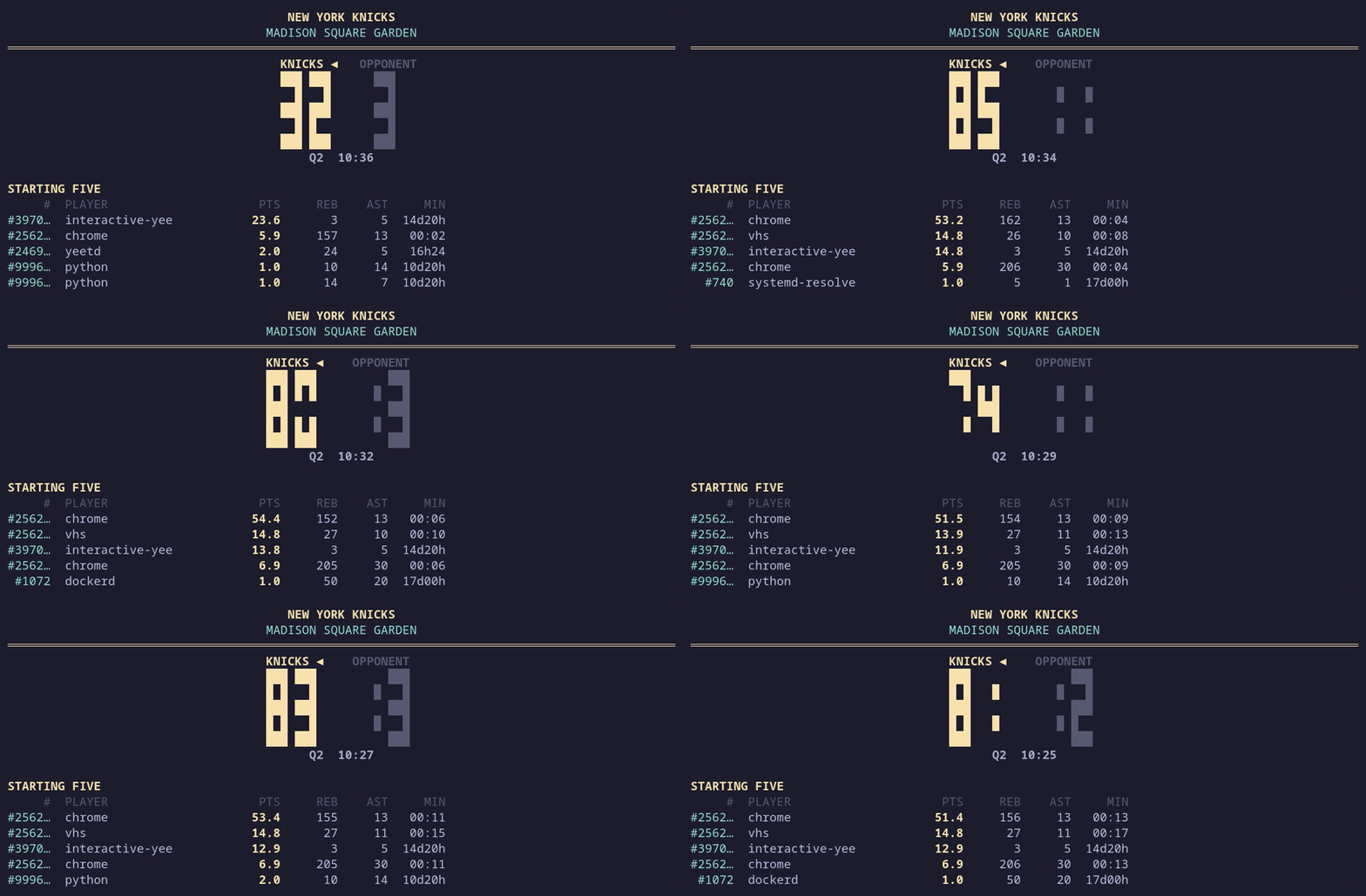
knicks-scoreboard is a live terminal system monitor skinned as a Madison Square Garden scoreboard. The headline score splits CPU into KNICKS (user time) versus the OPPONENT (system + iowait), the box score ranks your busiest processes as players, and the game clock counts down from your host's uptime. No kernel modules, no BPF, no network — just /proc, read through yeet's graph API.
Running
yeet run github:yeet-src/knicks-scoreboard
Sort the box score by rebounds (memory) or assists (thread count) instead of points:
yeet run github:yeet-src/knicks-scoreboard -- --sort reb
yeet run github:yeet-src/knicks-scoreboard -- --sort ast
Grab a single pipe-safe snapshot:
yeet run github:yeet-src/knicks-scoreboard -- --once | cat
Stream the box score as newline-delimited JSON:
yeet run github:yeet-src/knicks-scoreboard/dump.js
Flags
| Flag | Default | Description |
|---|---|---|
--sort <pts|reb|ast> | pts | Sort the roster by CPU%, memory, or thread count |
--interval <ms> | 1000 | Refresh period (floored at 100 ms) |
--secs <n> | — | Exit after n seconds |
--once | — | Render one snapshot and exit; automatic when piped |
Reading the scoreboard
The score is CPU, split by who's spending it. KNICKS is user-mode CPU; the OPPONENT is system + iowait. Both are summed across all cores as percent-of-one-core, so a fully-pegged 16-core box can score past a thousand. The leader gets the ◄ flag.
The players are processes. The starting five are the busiest processes this refresh; the bench is the next five. Each stat line:
#— PID (jersey number)PLAYER— process namePTS— CPU% this refreshREB— resident memory (MB / GB)AST— thread countMIN— process age (MM:SS,Hh, orDd)
The game clock is uptime. The host's uptime is folded into a 48-minute game — four 12-minute quarters counting down 12:00 → 00:00, rolling Q1 → Q4 → Q1.
The crowd ticker shows the 1/5/15-minute load average with a bar that fills as load approaches your core count.
Why 0–0 at startup? CPU usage is a rate. The scoreboard needs two
/procsnapshots a moment apart to compute the work done between them, so the first frame reads0–0and fills in on the next refresh.
Source
yeet-src/knicks-scoreboard on GitHub.